Why I Built SimplyTalk: Local Dictation Without the Subscription or the Spying
There are two things about modern software that I've stopped tolerating.
The first is the subscription model on everything. Your weather app wants $4.99 a month. Your PDF reader wants $9.99. Your dictation tool wants $30. Individually it's nothing. Together it's hundreds of dollars a year in rent for software you used to just own. Stop paying and the workflow you built your day around stops working with you.
The second is what you hand over in exchange. You're paying and you're the product. Your voice, your documents, your usage patterns, all of it flowing through someone else's servers, "to improve the service." For most people that's a vague background discomfort. For me, working day-to-day at a law firm, it's something sharper. Privileged communications don't belong on a third party's GPU.
I looked for a dictation tool that solved both problems at once. Something fast, accurate, local, and paid for once. Nothing on the market checked every box. So I built it.
This is SimplyTalk.
The Idea Is Simple
You hold a hotkey. You talk. You release. Your words appear wherever your cursor is.
That's the entire interface. There's no app to open, no window to manage, no transcription pane to copy out of. You're already in your email, your document, your IDE, your messaging app. You hold Ctrl, dictate the next paragraph, release, and it's typed for you.
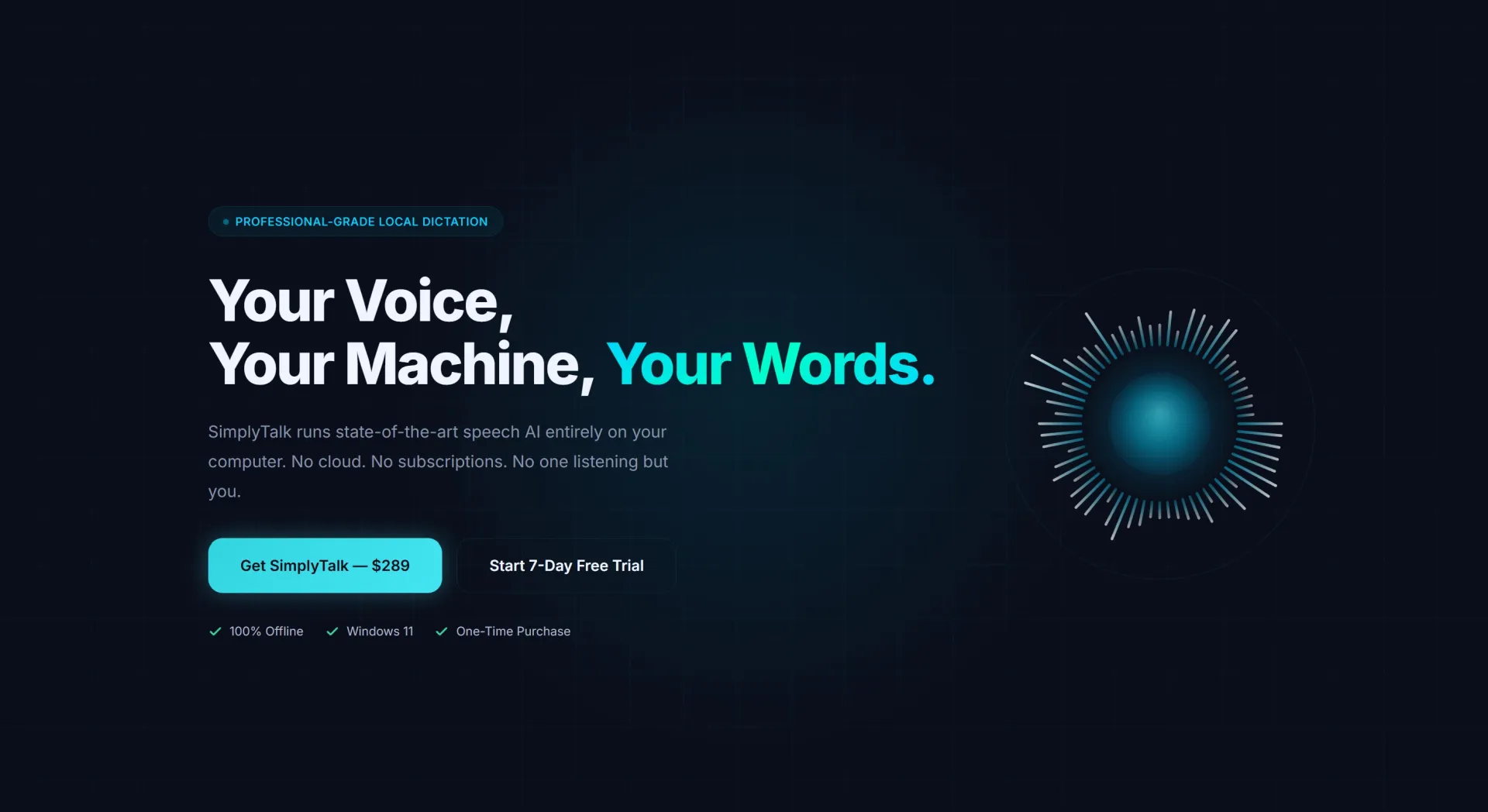
It's $289 once. There's a 7-day free trial because I think you should try software before you pay for it. There's no account, no signup, no telemetry. The first time you launch it, you're already running.
Three Steps, Zero Friction
The whole product is built around one belief: dictation should disappear into your workflow, not become a new thing you have to manage.
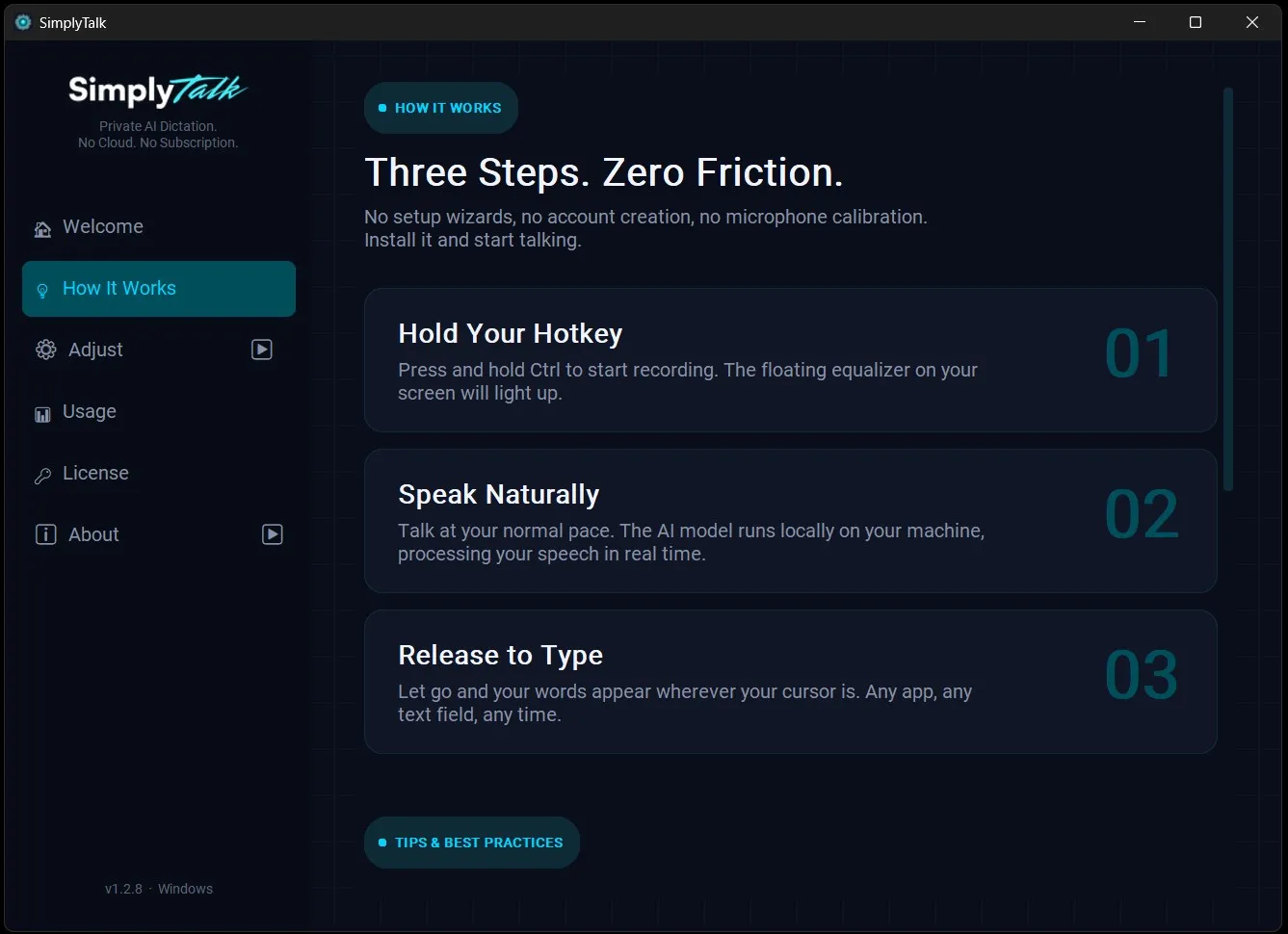
Hold the hotkey. A small floating equalizer lights up so you know it's listening.
Speak naturally. No need to slow down or enunciate for the microphone. The speech model runs locally on your machine in real time.
Release. Your words land wherever your cursor is. Any app, any text field, any time.
There's no setup wizard. No microphone calibration screen. No "let's train the AI on your voice" onboarding. You install it and you start talking.
Your Hotkey, Your Choice
I knew from the start that if dictation fought with my existing shortcuts, I'd uninstall my own software within a week. So I built three hotkey modes and let the user pick.
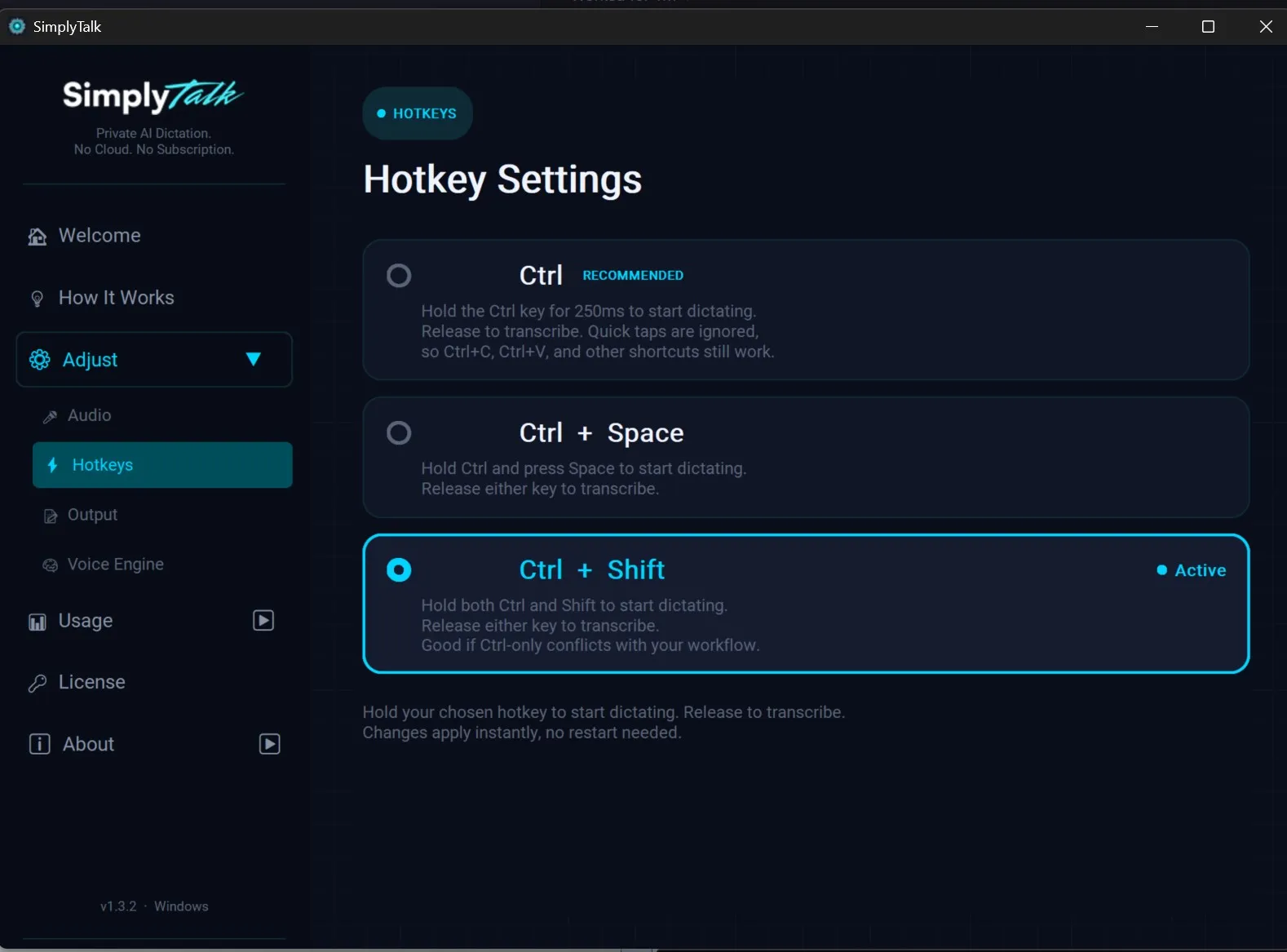
Ctrl alone is the default. Hold it for 250 milliseconds to start dictating. Release to transcribe. Quick taps are ignored, so Ctrl+C, Ctrl+V, and every other Ctrl-combo shortcut you already use continue to work normally. This is the mode I use, and it's the one I recommend.
Ctrl + Space is the middle ground if you want a more deliberate trigger.
Ctrl + Shift is for people whose workflow already conflicts with the others, like developers running heavy IDE shortcut sets.
Switching modes is instant. No restart, no settings reload. Pick one, try it for a day, change your mind, switch.
Three Engines, Pick What Fits Your Hardware
Not every machine is the same, and not every dictation job needs the same model. I built SimplyTalk to ship with multiple speech engines so you can pick what fits your hardware and your accuracy needs.
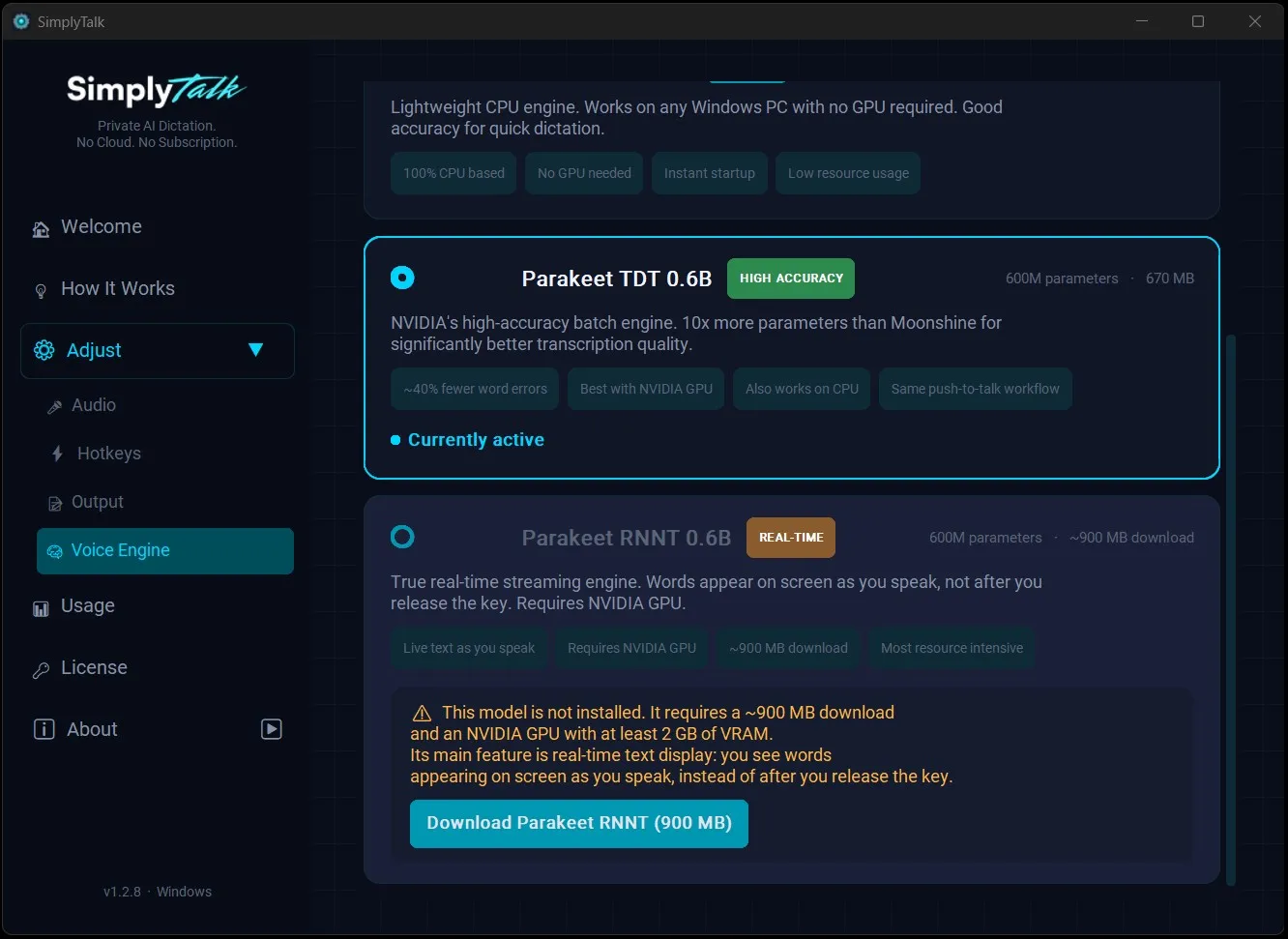
Moonshine is the lightweight CPU engine. It works on any Windows PC with no GPU required. Fast startup, low resource usage, solid accuracy for everyday dictation. If you're on a laptop without a dedicated graphics card, this is your engine.
Parakeet TDT 0.6B is NVIDIA's high-accuracy batch engine, about 40% fewer word errors than the lightweight option in my testing. This is what I run on my own machine. It works on CPU but really sings with an NVIDIA GPU.
Parakeet RNNT 0.6B is the real-time streaming engine. With an NVIDIA GPU and at least 2 GB of VRAM, words appear on your screen as you speak instead of after you release the hotkey. It's a different feel, and for some workflows it's a game-changer.
You can switch engines whenever you want. The app handles model downloads, GPU detection, and CPU fallback automatically.
Built-In Analytics, Stored Only on Your Machine
I wanted to know if SimplyTalk was actually saving me time, so I built the answer into the product.
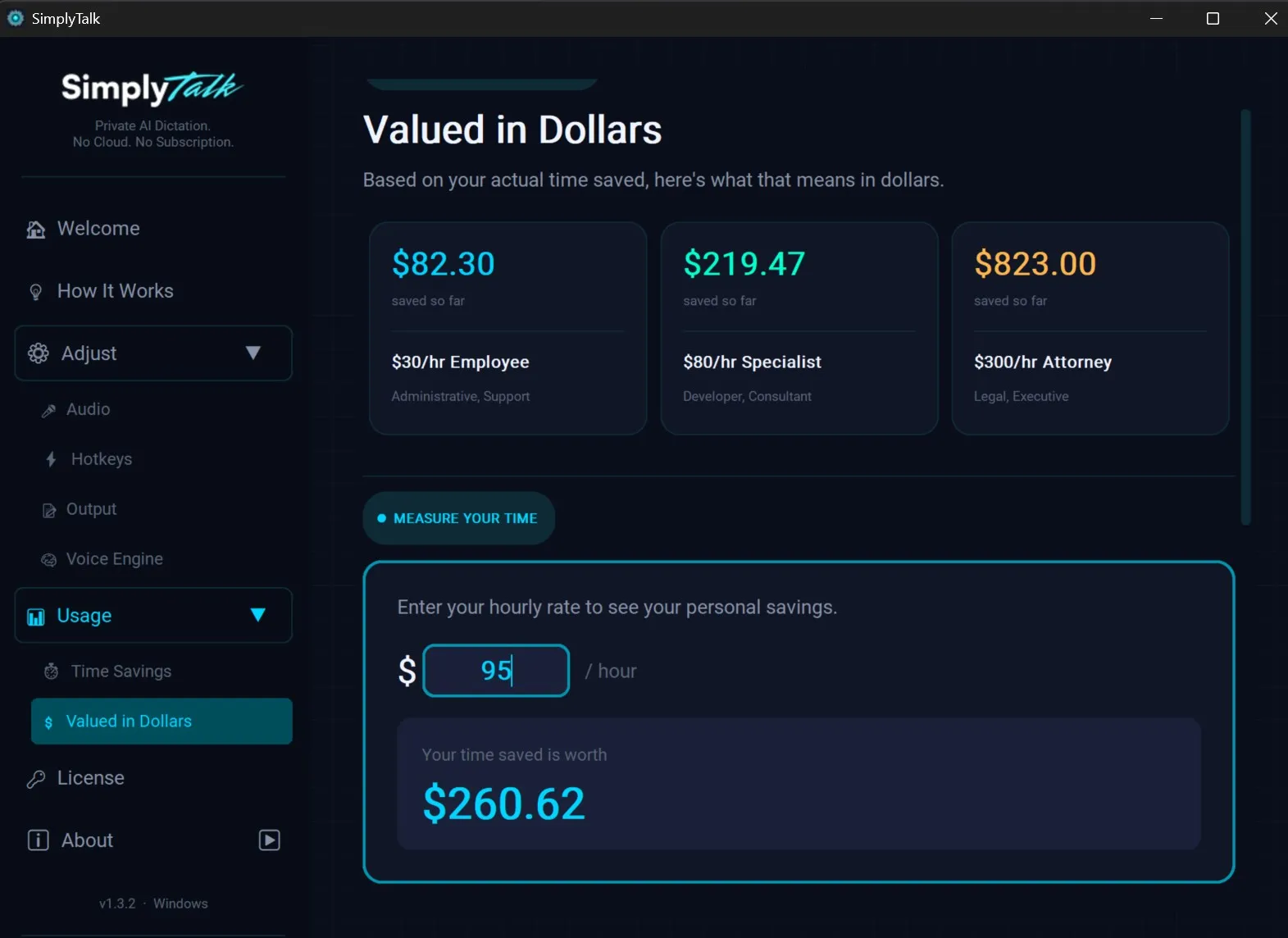
Every time you dictate, SimplyTalk tracks how long the recording was and how many words you produced, and compares that against typical typing speed. Then it translates the saved time into a dollar figure based on your hourly rate.
There are reference rates built in: $30/hr for administrative work, $80/hr for developers and consultants, $300/hr for attorneys and executives. Or you can enter your own. In the screenshot above, the user has saved $260.62 worth of time at a $95/hr rate.
All of this lives in a local SQLite database on your machine. Nothing about your usage is sent anywhere. The numbers are yours, the data stays yours, and if you ever wanted to verify that, the database file is sitting in your user folder for you to inspect.
How "Local" Actually Means Local
This is the part where most "privacy-focused" software stops being privacy-focused. The marketing page says "your data stays with you" but the app is making background calls to an analytics provider, a crash reporter, a model server, a license check, and three CDNs you've never heard of.
SimplyTalk is not built that way. Here's what does and doesn't happen on your machine.
On your machine, always:
- All speech recognition. The models run on your CPU or GPU, full stop.
- All audio. Your voice never leaves the device. There's no "send a sample for quality improvement" toggle, because there's no infrastructure on my end to receive one.
- All your dictation history, settings, and analytics.
- All transcription output. It's typed directly into the app you're using, like a very fast keyboard.
The only things that touch the network:
- Initial download of the speech model you choose (a one-time thing).
- License activation when you first enter your key, and periodic background re-validation after that.
- Optional update checks for the app itself.
That's it. There's no telemetry endpoint. There's no usage data being collected. There's no analytics pipeline. If you unplug your network cable, the dictation keeps working perfectly, which is the strongest proof I can offer that none of this depends on the cloud.
Pay Once. Own It. Move It Between Machines.
SimplyTalk is a one-time $289 purchase. No renewal, no annual fee, no "Pro tier" hiding the features you actually want.
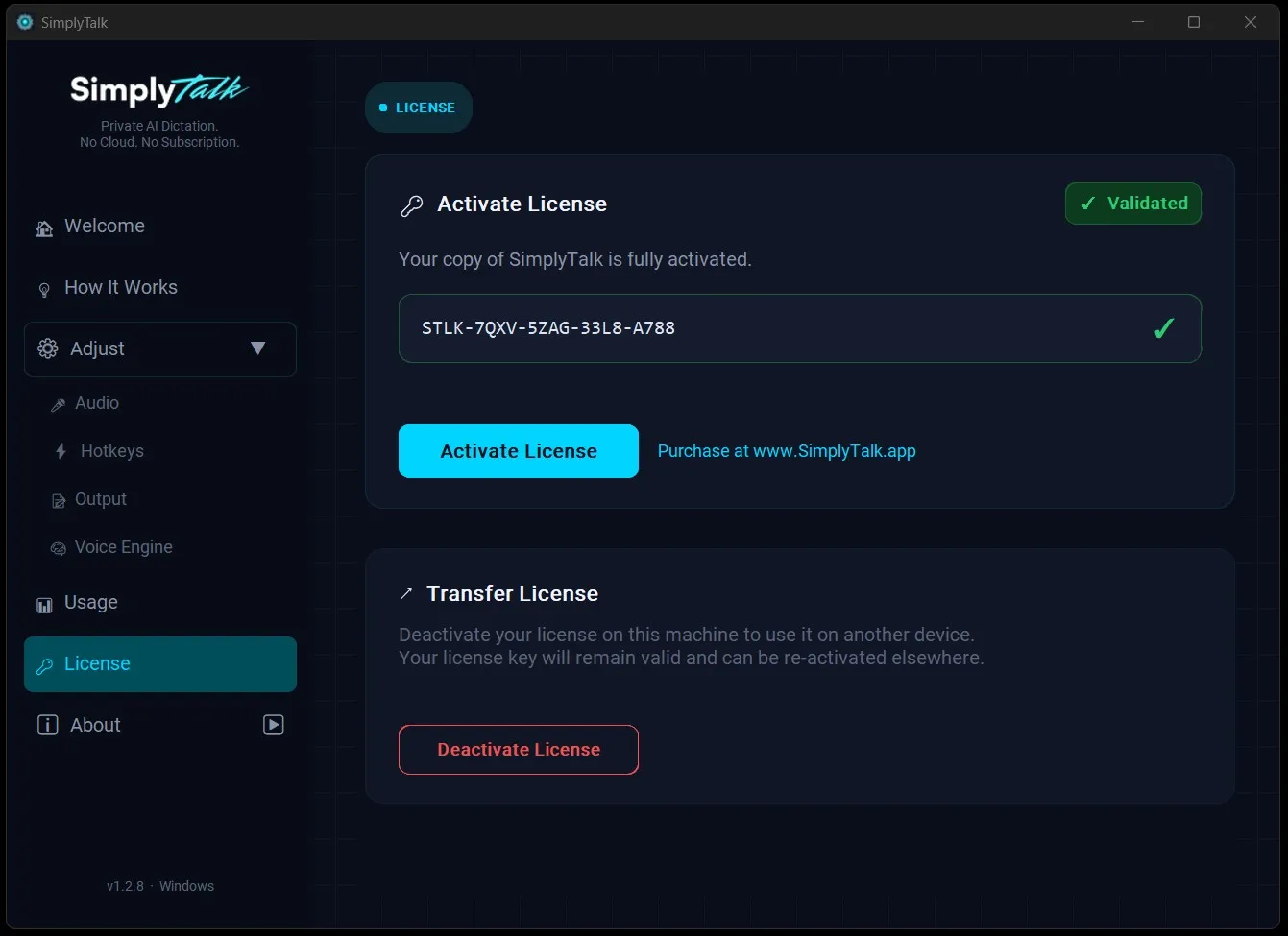
When you buy, you get a license key. You paste it into the app, it activates, and you're done. If you ever switch computers, you deactivate on the old machine and activate on the new one. The key stays with you, not the hardware. I built it that way because every piece of software I've ever loved and lost was lost because the licensing was too rigid to follow me to a new computer.
If you decide it's not for you, there's a 7-day free trial up front so you never have to find out the hard way.
A Quick Note on How It's Built
I'm a believer in showing your work. SimplyTalk isn't a thin wrapper on someone else's API, and it isn't a fragile script glued together with hope. Here's the actual stack:
- The desktop app is Python 3 + PySide6, packaged as a native Windows installer.
- Speech recognition uses Moonshine and NVIDIA Parakeet models, running through optimized local inference runtimes. No cloud calls.
- Local data (settings, license cache, analytics) lives in a SQLite database on your machine.
- The website, customer portal, and licensing API run on PHP / Laravel, backed by MySQL, on a self-hosted Linux server.
- Payments are handled through Stripe Checkout with signature-verified webhooks. Your payment details never touch my servers; they go directly to Stripe.
- Communications between the desktop app and the licensing API use signed tokens, not session cookies, so they're safe to make from any network.
I host my own infrastructure on purpose. It costs more time, but it means SimplyTalk isn't going to get rug-pulled by a SaaS provider's pricing change, and it means I have full visibility into every piece of the system. If a hosting partner decides to triple their prices tomorrow, I can move the whole thing in a weekend.
Who SimplyTalk Is For
If any of these describe you, this product was built with you in mind:
- Lawyers, paralegals, and legal staff who can't ethically put privileged communications through a cloud transcription service.
- Doctors, therapists, and clinicians dealing with the same problem under HIPAA.
- Writers, journalists, and researchers who think faster than they type and want their first drafts to keep up.
- Developers who want a dictation tool that doesn't fight with their IDE shortcuts and doesn't need an internet connection on the plane.
- Anyone tired of paying monthly for software that's also quietly inventorying their data.
Try It
SimplyTalk runs on Windows 11. It's 100% offline. It's a one-time purchase. There's a 7-day free trial.
If you've made it this far, you already know whether you want to try it. The download is at www.SimplyTalk.app.
Your voice. Your machine. Your words.
Frequently Asked Questions
Does SimplyTalk send my voice data to the cloud?+
No. All speech recognition runs locally on your CPU or GPU. Your audio never leaves your device. There is no telemetry endpoint, no usage data collection, and no analytics pipeline. If you unplug your network cable, dictation continues working perfectly.
How much does SimplyTalk cost?+
SimplyTalk is a one-time purchase of $289. There is no subscription, no renewal fee, and no tiered pricing. A 7-day free trial is included so you can test it before buying.
What speech engines does SimplyTalk support?+
SimplyTalk ships with three engines: Moonshine (lightweight CPU engine for any Windows PC), Parakeet TDT 0.6B (high-accuracy batch engine, best with NVIDIA GPU), and Parakeet RNNT 0.6B (real-time streaming engine requiring NVIDIA GPU with 2GB+ VRAM).