Let me be honest about where this project came from, because it did not come from a place of calm.
I could watch Adobe burn. I would then take the ashes and burn those again. And I would not feel a single thing except relief, because I have spent years watching ordinary people, lawyers, admins, clients, family members, everyone, struggle with the most common file format on the planet while the company guarding it went hyper crazy squeezing a monthly fee out of something that should have been simple from the start.
Think about what a PDF is. It is a document. You double-click it, you read it. That is the entire job. And somehow, over three decades, Adobe turned that into a splash screen, a sign-in prompt, a cloud upsell, an AI assistant popup, a background updater eating your machine, and a subscription you cannot escape without a fight.
This is not just me venting. It is on the record.
In June 2024 the FTC and the Department of Justice sued Adobe for deliberately trapping its own customers. The complaint laid it out: steer people into an annual plan billed monthly, preselect it as the default, then bury the part where cancelling early costs you 50 percent of everything left on the contract. Hundreds of dollars hidden behind fine print and hover-over icons. Reporting on the case even surfaced an internal comparison of that hidden fee to heroin, because of how reliably it hooked revenue. Their own people allegedly understood exactly what the trap was.
In early 2026 Adobe paid 150 million dollars to make the case go away, admitting no wrongdoing, of course. Companies do not write checks like that over a misunderstanding.
Then there was Firefly, the "ethical" AI trained partly on output from the very rivals Adobe publicly shamed. The 2024 terms of service disaster, where users across the creative world read the new language as Adobe granting itself access to their private work. The stock down more than 60 percent from its peak. The CEO stepping down, the CFO bolting, a billion dollars paid to Figma for the privilege of a failed acquisition.
The market finally figured out what users knew all along: this company stopped respecting the people paying for it a long time ago. The bloat, the crashes, the endless upsells, none of it was an accident of engineering. It is what happens when a company believes you have nowhere else to go.
So I stopped waiting for somewhere else to go, and I built it. It is not the first time I have gone down this road either. When dictation software pulled the same subscription-and-spying routine, I built SimplyTalk for the same reason.
No Bloat PDF
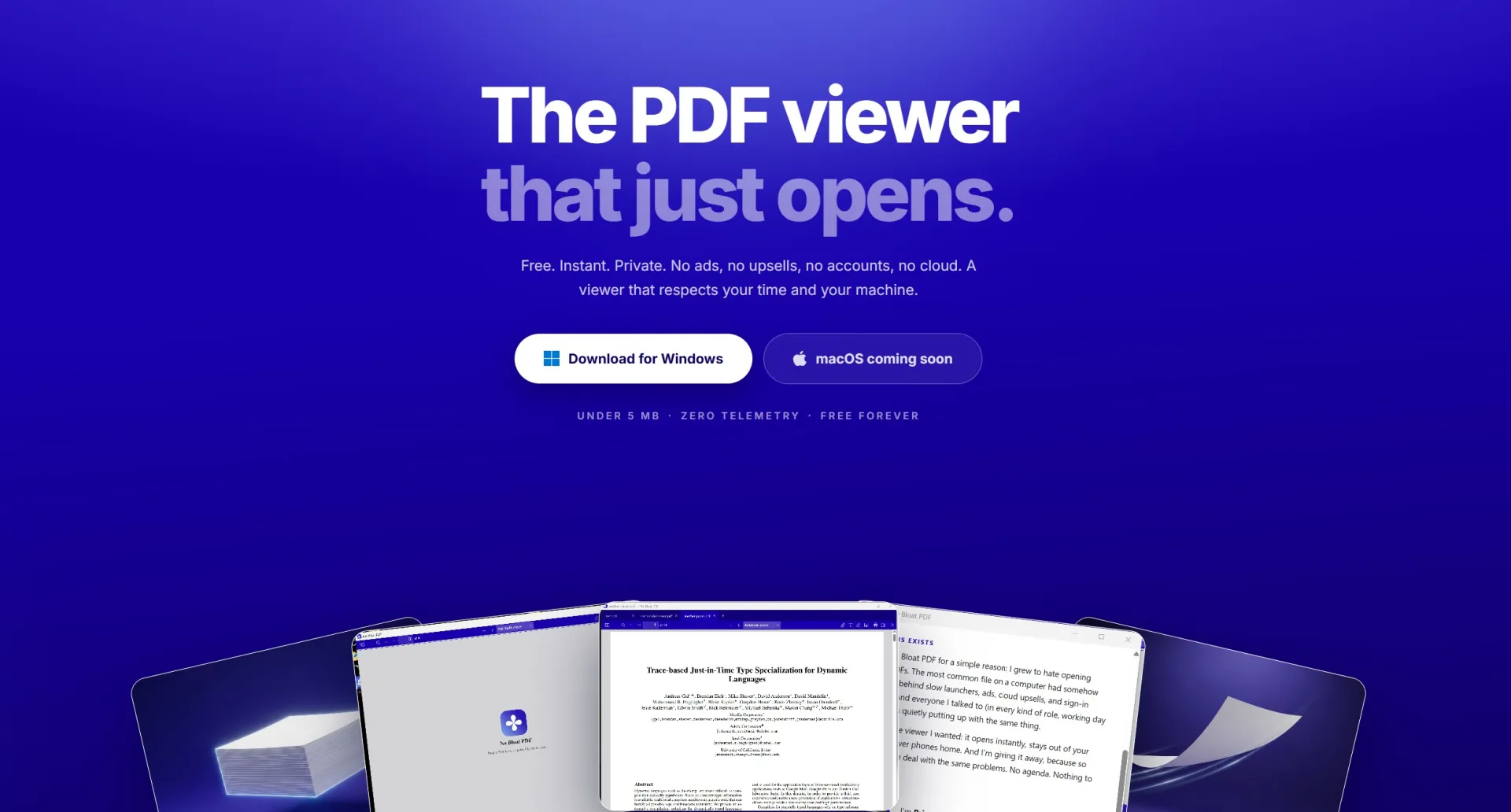
No Bloat PDF is a free PDF viewer for Windows and Mac. The current release is version 1.4.0, and here is the entire pitch:
The Windows installer is 4.6 MB. Not the download stub. The whole thing.
It opens instantly. Double-click a PDF and you are reading. No launcher, no splash screen, no sync, no account.
It makes zero network calls. No telemetry, no ads, no cloud. It cannot phone home because there is no home to phone. It works identically with the internet unplugged.
And it is not stripped down to get there. It handles the things people actually do all day:
- Tabs, so multiple documents live in one window (Ctrl+Tab to switch, Ctrl+W to close)
- Full text search, thumbnails, bookmarks, outline navigation, zoom, and rotate
- Highlighting, text notes, freehand drawing, stamps, and a signature tool where you can type, draw, or upload your signature
- Fills standard PDF forms and saves them locally
- Page editing, new in 1.4.0: open the Pages panel and you can delete, reorder, copy, or export pages, then save the result back into the PDF. Every change can be undone before you save.
- High-resolution printing, dark mode, and it remembers your place in every file
- Opens the hard stuff too: huge scans, CJK documents, password-protected files
Just as important is what it deliberately does not do: heavy content editing, meaning rewriting the text or redrawing the objects on a page. That swamp is exactly what made the big readers slow in the first place. Scope discipline is a feature. Staying a viewer is how it stays 4.6 MB and instant.
How it is built
Two decisions made the whole thing possible.
The rendering engine is Mozilla's pdf.js, the same battle-tested renderer inside Firefox. Rendering PDFs correctly is a decades-deep problem, and pdf.js has had years of hardening against real-world documents. I got proven rendering without any of the weight.
The shell is Tauri v2, not Electron. Electron apps ship an entire bundled copy of Chromium, which is why so many simple tools weigh 150+ MB. Tauri wraps the WebView already built into your OS and drives it from a small Rust binary. That one choice is most of the reason the installer is 4.6 MB instead of 150.
Everything is signed like a real product: Windows builds through Microsoft Artifact Signing with a verified publisher, Mac builds signed and notarized by Apple.
Free. Open source. MIT. No catch.
Here is the part I care about most. No Bloat PDF is completely free, and the full source code is public on GitHub under the MIT license. Read it, fork it, build it yourself, verify the zero-network-calls claim line by line. The best proof that software respects you is when it has nothing to hide and no reason not to.
There is no business model, and that is on purpose. No subscription, no trial, no "pro" tier waiting to ambush you. The only monetization is an optional Buy Me a Coffee link, and the app never mentions it. I am giving it away because so many people deal with the same problems I did, and because after years of watching a monopoly charge rent on a simple document format, giving the alternative away for free felt like the whole point.
Adobe spent 30 years praying you would never realize you do not need them. You don't.
Download it at nobloatpdf.com, or read the source at github.com/bgalvan1277/NoBloatPDF.
This is the kind of thing I build when software gets in people's way. If you are curious how I approach problems like this, How I Work covers the process, and if you have a tool-shaped problem of your own, get in touch.
Frequently Asked Questions
Is No Bloat PDF really free, or is there a catch?+
It is completely free, and the full source code is public on GitHub under the MIT license. There is no subscription, no trial, no pro tier, no account, and no ads. The only monetization is an optional Buy Me a Coffee link, and the app itself never mentions it. Because the code is open, anyone can read it, fork it, build it themselves, and verify the zero-network-calls claim line by line.
What features does No Bloat PDF include?+
Tabs for multiple documents, full text search, thumbnails, bookmarks, outline navigation, zoom, and rotate. It handles annotation work: highlighting, text notes, freehand drawing, stamps, and a signature tool where you can type, draw, or upload your signature. It fills standard PDF forms and saves them locally. Version 1.4.0 added page editing: delete, reorder, copy, or export pages and save the result back into the PDF. It also does high-resolution printing, dark mode, remembers your place in every file, and opens huge scans, CJK documents, and password-protected files. What it deliberately skips is heavy content editing, which is exactly the swamp that made the big readers slow.
Why is No Bloat PDF only 4.6 MB when other PDF apps are 150+ MB?+
Two architectural choices. The rendering engine is Mozilla's pdf.js, the same battle-tested renderer inside Firefox, so proven rendering comes without extra weight. The shell is Tauri v2 instead of Electron: Electron apps ship an entire bundled copy of Chromium, which is why so many simple tools weigh 150+ MB, while Tauri wraps the WebView already built into your OS and drives it from a small Rust binary. It also makes zero network calls, so there is no updater, telemetry, or cloud layer adding weight.